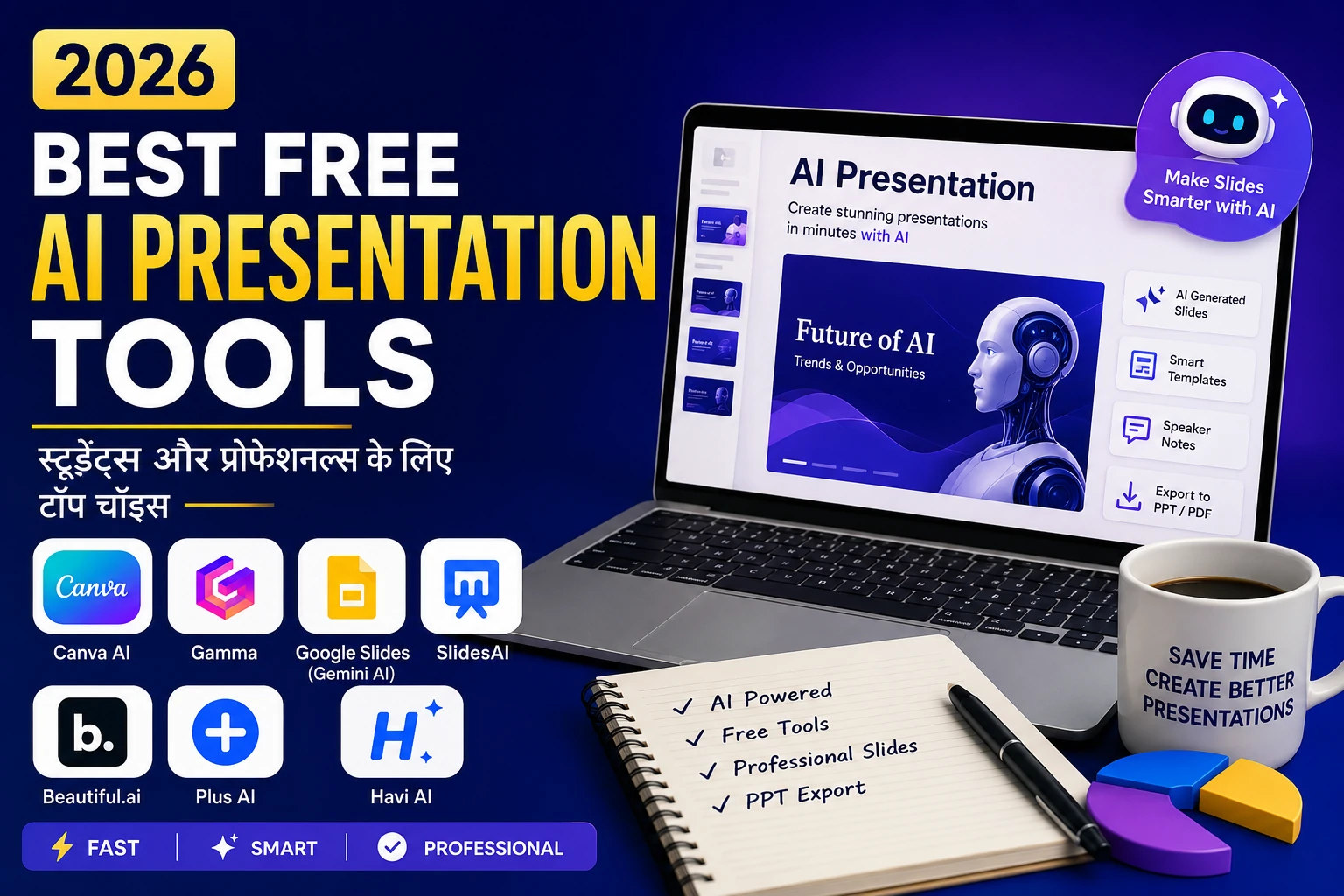
Intro
अगर आप अभी भी PowerPoint या Google Slides में presentation बनाने में घंटों लगा रहे हैं, तो अब AI की मदद लेने का समय है। Best Free AI Presentation Tools 2026 की मदद से आप कुछ ही मिनटों में professional और आकर्षक presentations तैयार कर सकते हैं, बिना किसी advanced design skills के।
इस guide में हमने 2026 के सबसे बेहतरीन free AI presentation tools को उनके AI features, free plan, PPT export, Hindi support, privacy, mobile compatibility और limitations के आधार पर compare किया है। चाहे आप student, teacher, freelancer या professional हों, यहाँ आपको अपनी ज़रूरत के अनुसार सही AI presentation tool चुनने में आसानी होगी।
Why Use AI for Presentations?
- Speed: AI tools 5–10 सेकंड में slides तैयार कर देते हैं।
- Speaker Notes: कई tools आपके लिए notes भी auto-generate करते हैं।
- Design: Templates, colors और layouts पहले से ready होते हैं।
- Accessibility: Mobile से भी काम करता है।
2026 में AI tools इतनी तेजी से grow कर रहे हैं कि ये अब हर student और professional की जरूरत बन चुके हैं। और यही वजह है कि लोग actively search कर रहे हैं Best Free AI Presentation Tools 2026 की।
Testing Methodology
हमने Best Free AI Presentation Tools 2026 को सिर्फ उनके AI claims के आधार पर नहीं, बल्कि real-world use के अनुसार test किया। हर tool का मूल्यांकन इन criteria पर किया गया:
- Free plan की limits (credits, slides, watermark और export options)
- AI-generated presentation की quality और accuracy
- PPT, PDF और Google Slides export support
- Hindi और English content support
- AI images, speaker notes और design suggestions
- Mobile compatibility (Android, iOS और Web)
- Privacy & data handling (क्या आपका content store होता है?)
- Overall ease of use और beginners के लिए suitability
इस comparison का उद्देश्य आपको ऐसा AI presentation tool चुनने में मदद करना है जो आपकी जरूरत और budget दोनों के लिए सही हो।
📊 Quick Comparison Table
| Tool | Free Tier Limit | Export Options | Mobile Support | Best For |
|---|---|---|---|---|
| SlidesAI | 3 /month | PPT, Google Slides | Yes | Students |
| Gamma | Limited credits | PPT, PDF | Yes | Business Pitches |
| Beautiful.ai | Limited templates | PDF only (free) | No | Professionals |
| Google Slides (Gemini AI) | Free with Gmail | PPT, PDF | Yes | Teachers |
| Canva AI | Free templates | PPT, PDF | Yes | General Use |
| Plus AI | Limited slides | Google Slides | Yes | India-friendly |
अगर आप Presentation के अलावा पढ़ाई, नोट्स और Productivity के लिए भी AI Tools ढूंढ रहे हैं, तो Students के लिए Best AI Tools 2026 की पूरी सूची देखें।
Best Free AI Presentation Tools 2026 Reviews
1. SlidesAI
AI does what: आपके text को auto slides में बदल देता है।
Free tier: 3 presentations/month.
Pros: Easy for students, direct Google Slides integration.
Cons: Limited free usage.
Best For: Students.
Privacy: Data Google Drive पर रहता है, secure.
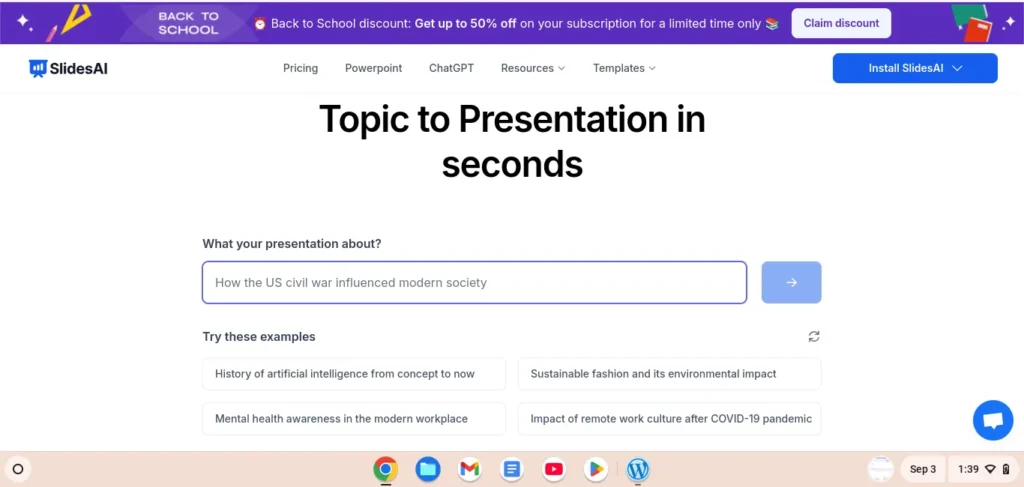
👉 Try it here: SlidesAI Official Website
2. Gamma
AI does what: Modern pitch deck auto-generate करता है।
Free tier: Limited credits.
Pros: Clean design, fast.
Cons: Export limited.
Best For: Business presentations.
Privacy: Data cloud पर store होता है, delete option available.
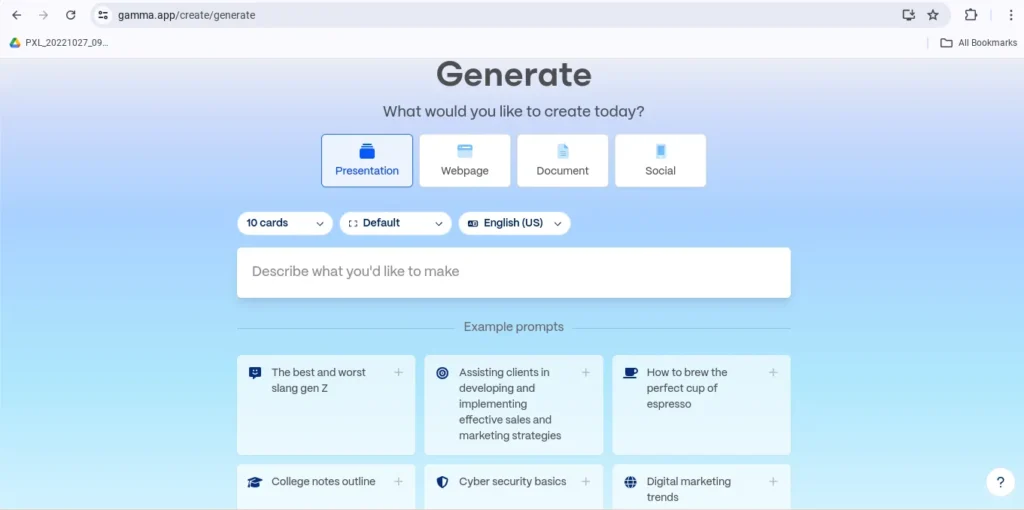
👉 Explore: Gamma.app
3. Beautiful.ai
AI does what: Auto design adjust करता है।
Free tier: Free templates, export PDF only.
Pros: Professional design.
Cons: PPT export paid.
Best For: Business professionals.
👉 Visit: Beautiful.ai
4. Google Slides (Gemini AI)
AI does what: Gemini AI आपकी content से design suggest करता है।
Free tier: Unlimited with Gmail.
Pros: 100% free, no watermark.
Cons: Basic design.
Best For: Teachers, schools.
👉 Use free: Google Slides
अगर आप Google के AI Tools के बारे में विस्तार से सीखना चाहते हैं, तो हमारा Google Flow AI Tutorial (Hindi) जरूर पढ़ें।
5. Canva AI
AI does what: Magic Presentation, templates से slides बनाता है।
Free tier: हजारों templates free.
Pros: Beginners के लिए perfect.
Cons: कुछ pro features locked.
Best For: General users, freelancers.
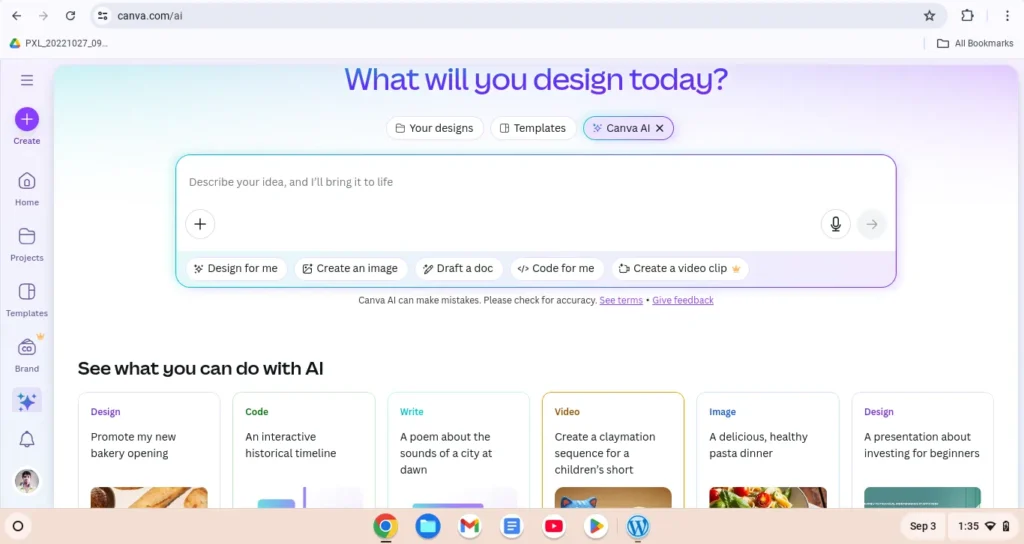
👉 Start free: Canva AI
6. Plus AI (India-friendly)
AI does what: Google Slides और Docs में AI presentation.
Free tier: Limited slides/month.
Pros: Localized support.
Cons: Not for advanced business.
Best For: India-based freelancers/students.
👉 Try Plus AI: PlusDocs
7. Havi AI
AI does what: Web pages, articles और prompts को कुछ ही मिनटों में AI-powered presentations में बदल देता है।
Free tier: Limited free usage (features समय के साथ बदल सकते हैं)।
Pros: Webpage-to-Presentation, modern templates, तेज़ AI slide generation, Chrome extension support।
Cons: Free plan में कुछ features और exports सीमित हो सकते हैं।
Best For: Bloggers, researchers, students और content creators जो articles या web content को जल्दी presentation में बदलना चाहते हैं।
Privacy: Content cloud पर process होता है। Sensitive या confidential जानकारी upload करने से पहले इसकी privacy policy ज़रूर पढ़ें।
Havi AI interface – AI tool for converting webpages and prompts into professional presentations.
❓ Why Not Microsoft PowerPoint?
बहुत लोग ये सोच सकते हैं कि जब presentation tools की बात होती है तो Microsoft PowerPoint को क्यों शामिल नहीं किया गया। दरअसल, इस लिस्ट का focus उन Best Free AI Presentation Tools 2026 पर है जो पूरी तरह से नए और AI-driven features लेकर आए हैं।
PowerPoint ने भी अपने Copilot AI features launch किए हैं, लेकिन ये केवल Microsoft 365 subscription के साथ available हैं, यानी इसे free AI tool category में नहीं रखा जा सकता। यही कारण है कि हमने इसे इस comparison से बाहर रखा और उन tools पर ध्यान दिया जो हर किसी के लिए बिना extra cost के accessible हैं।
👉 अगर आप already Microsoft 365 user हैं तो PowerPoint Copilot आपके लिए एक powerful option हो सकता है, लेकिन इस article का मकसद Best Free AI Presentation Tools 2026 को highlight करना था।
Best Free AI Presentation Tools 2026 by Use Case
- Students → SlidesAI
- Teachers → Google Slides (Gemini AI)
- Freelancers → Canva AI
- Business Pitches → Gamma
5 Ready Prompts For Best Free AI Presentation Tools 2026
- “Create 5 slides on History of India with speaker notes.”
- “Make a presentation on Top 10 Freelancing Tips 2026 with examples.”
- “Generate slides for Digital Marketing Trends 2026 with graphs.”
- “Presentation on AI in Education with simple visuals.”
- “Startup pitch deck: Online Grocery App 2026 with problem-solution format.”
Export & Polish Tips
- हमेशा PPT/Google Slides में export करें।
- Fonts और resolution fix करें ताकि presentation professional दिखे।
- Branding (logo, theme color) add करना ना भूलें।
Privacy & Data Handling
- SlidesAI → Google Drive integration, safe.
- Gamma → Cloud storage, delete option.
- Beautiful.ai → Data servers पर save होता है।
- Google Slides → Google account secured.
- Canva → Content cloud पर रहता है।
- Plus AI → Limited storage, privacy control.
📊 Market Analysis: Best free AI presentation tools 2026
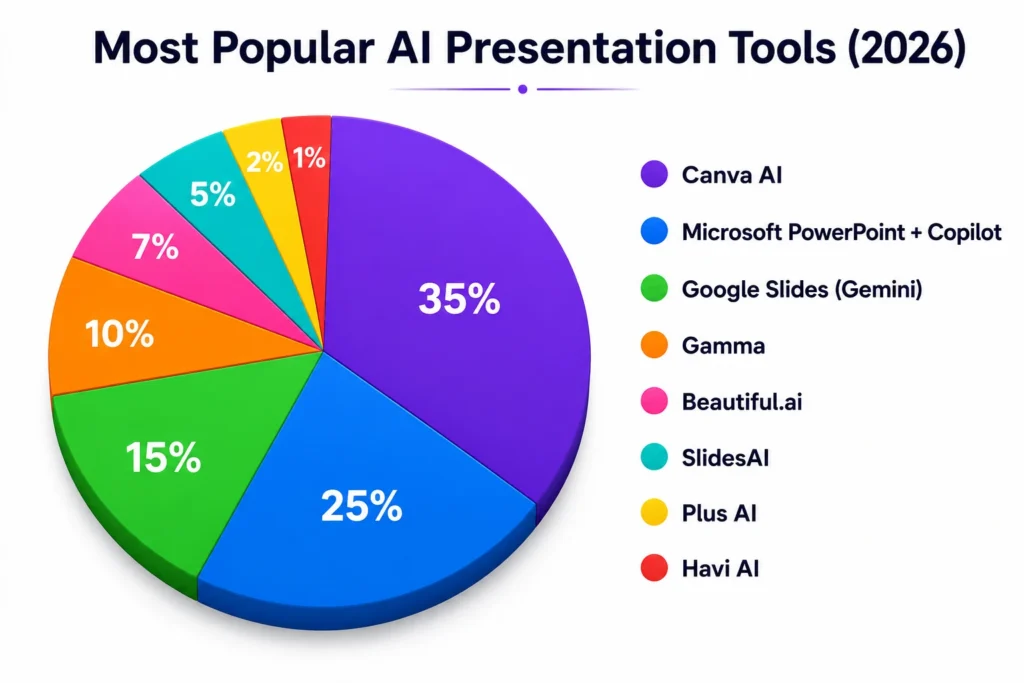
2026 में presentation space में AI adoption तेज़ है, लेकिन charts दिखाते हैं कि अभी भी mixed ecosystem है—legacy + AI-first दोनों साथ चल रहे हैं (AI tools data estimated, Canva & Slides real).
What this means for users
- अगर आप Best free AI presentation tools 2026 में सबसे आसान और template-rich option चाहते हैं → Canva practical choice है (free plan काफी काम का).
- 100% free, Google ecosystem और real-time collaboration चाहिए → Google Slides (Gemini) बढ़िया है, खासकर students/teams के लिए.
- Story-style, auto-layout और quick AI drafts चाहिए → Gamma / Beautiful.ai आज़माएँ (ध्यान रखें: free plan में Beautiful.ai के PDF export पर watermark आता है).
Quick Takeaways
- Canva AI (35%) सबसे लोकप्रिय विकल्प है और beginners के लिए सबसे आसान माना जाता है।
- Microsoft PowerPoint + Copilot (25%) enterprise users के बीच मजबूत विकल्प है, लेकिन इसके AI features के लिए Microsoft 365 की जरूरत होती है।
- Google Slides (Gemini), Gamma और अन्य AI tools तेजी से लोकप्रिय हो रहे हैं और अलग-अलग use cases के लिए बेहतरीन विकल्प हैं।
Note: यह chart official market share नहीं, बल्कि public adoption trends और industry analysis पर आधारित popularity representation है।
👉 Recommended Reads for You
- और भी दमदार टूल्स देखना चाहते हैं? यहाँ पूरी गाइड पढ़ें: AI Tools Collection
- अगर आप स्टूडेंट हैं तो यह पोस्ट मिस न करें: Best AI Note-Taking Apps for Students 2025
- जानिए कैसे एक भारतीय AI टूल गेम बदल रहा है: Kruti AI Review 2026
निष्कर्ष
2026 में AI की मदद से presentation बनाना पहले से कहीं ज्यादा आसान और तेज़ हो गया है। Best Free AI Presentation Tools 2026 जैसे Canva AI, Gamma, Google Slides (Gemini), SlidesAI और Havi AI कुछ ही मिनटों में professional presentations तैयार करने में मदद करते हैं। चाहे आप student, teacher, freelancer या professional हों, सही AI tool चुनकर आप समय बचाने के साथ बेहतर और आकर्षक presentations आसानी से बना सकते हैं।
FAQs

Q1: Best Free AI Presentation Tools 2026 में कौन सा 100% free है?
👉 Google Slides (Gemini AI) और Canva का basic plan completely free है, जो beginners और professionals दोनों के लिए suitable है।
Q2: क्या ये tools PowerPoint से better हैं?
👉 हाँ, कई cases में ये tools faster हैं, ready-made templates और AI design suggestions के साथ PowerPoint से ज्यादा आसान और creative options देते हैं।
Q3: क्या ये Best free AI presentation tools 2026 mobile पर भी use किए जा सकते हैं?
👉 हाँ, Canva, Gamma, और SlidesAI apps Android और iOS दोनों पर उपलब्ध हैं, जिससे आप कहीं भी presentation बना सकते हैं।
Q4: क्या free plan में watermark आता है?
👉 Beautiful.ai में free PDF export पर watermark आता है, जबकि Google Slides और Canva free plan में watermark नहीं आता।
Q5: क्या ये Best free AI presentation tools 2026 Hindi content support करते हैं?
👉 हाँ, Canva, Google Slides और Gamma Hindi-English mixed content handle कर सकते हैं, जिससे bilingual presentations बनाना आसान है।
Q6: क्या ये Best free AI presentation tools 2026 offline काम करते हैं?
👉 नहीं, ये ज्यादातर cloud-based tools हैं, इसलिए internet connection जरूरी है।
Q7: क्या AI Presentation Tools हिंदी में Presentation बना सकते हैं?
👉 हाँ। Canva AI, Google Slides (Gemini) और Gamma जैसे कई AI टूल हिंदी prompts को समझते हैं और अच्छी presentations बना सकते हैं। बेहतर परिणाम के लिए स्पष्ट prompt लिखें।
I don’t know whether it’s just me or if everyone else experiencing issues
with your site. It looks like some of the text in your posts are running off the screen. Can somebody else please comment and let me know
if this is happening to them too? This may be a issue with my web browser because I’ve had this happen previously.
Kudos
Thanks for pointing this out!
We really appreciate you letting us know.
We’ve identified the issue and applied a fix to improve the layout on mobile devices.
Could you please refresh the page and let us know if it looks fine now on your browser?
Thanks again for your feedback — it really helps us improve the site! 😊
been comparing a bunch of these for a college project actually. gamma’s free plan caps out fast, hit the export wall right when a deck was almost done last week. ended up trying Havi instead, you just type out what the presentation needs to cover and it puts together the whole deck, slides and images and all, not some blank template you build from scratch. still tweaked colors after but dont think ive started a deck from a blank slide since. worth adding to this list tbh
“Wow, thanks for the tool suggestion! Gamma’s export limits can definitely be frustrating right at the finish line.
Havi.ai sounds like a lifesaver for student projects. Quick question—how did you find the quality of the AI-generated images and text? I’m thinking of doing a detailed review or adding it to this post, so your insights would be super helpful!”